
Nano Banana AI Image Editing Online
Use Nano Banana AI on Ezier for image editing, product visuals, readable text, and reference-image workflows with Google Nano Banana Pro, Nano Banana 2, and Nano Banana.
Best uses for Nano Banana AI
Create product visuals, reference-image edits, character-consistent shots, and fast campaign drafts with Nano Banana AI. Use Google Nano Banana Pro when polish matters, Nano Banana 2 when speed matters, or Nano Banana for lighter edits.
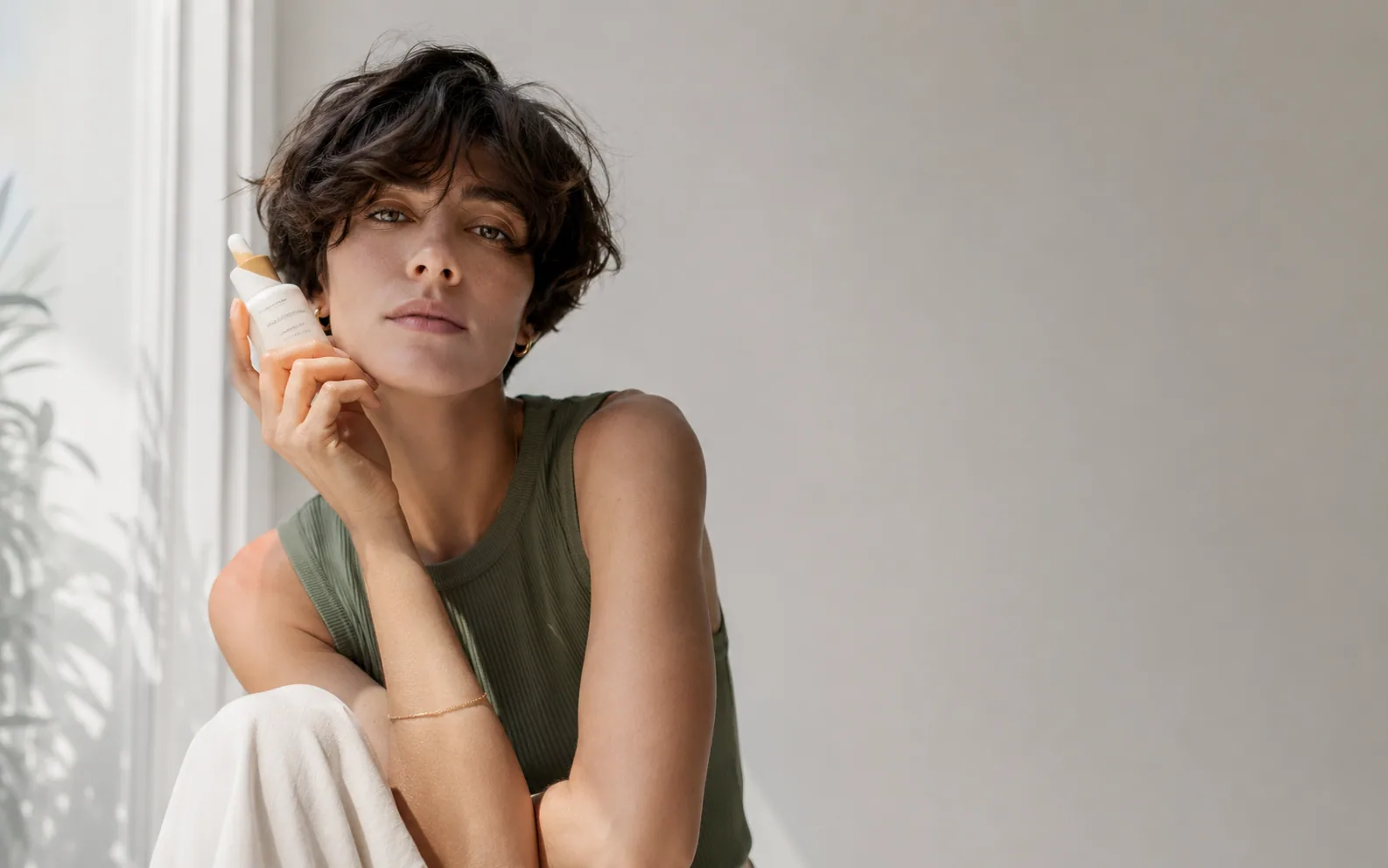
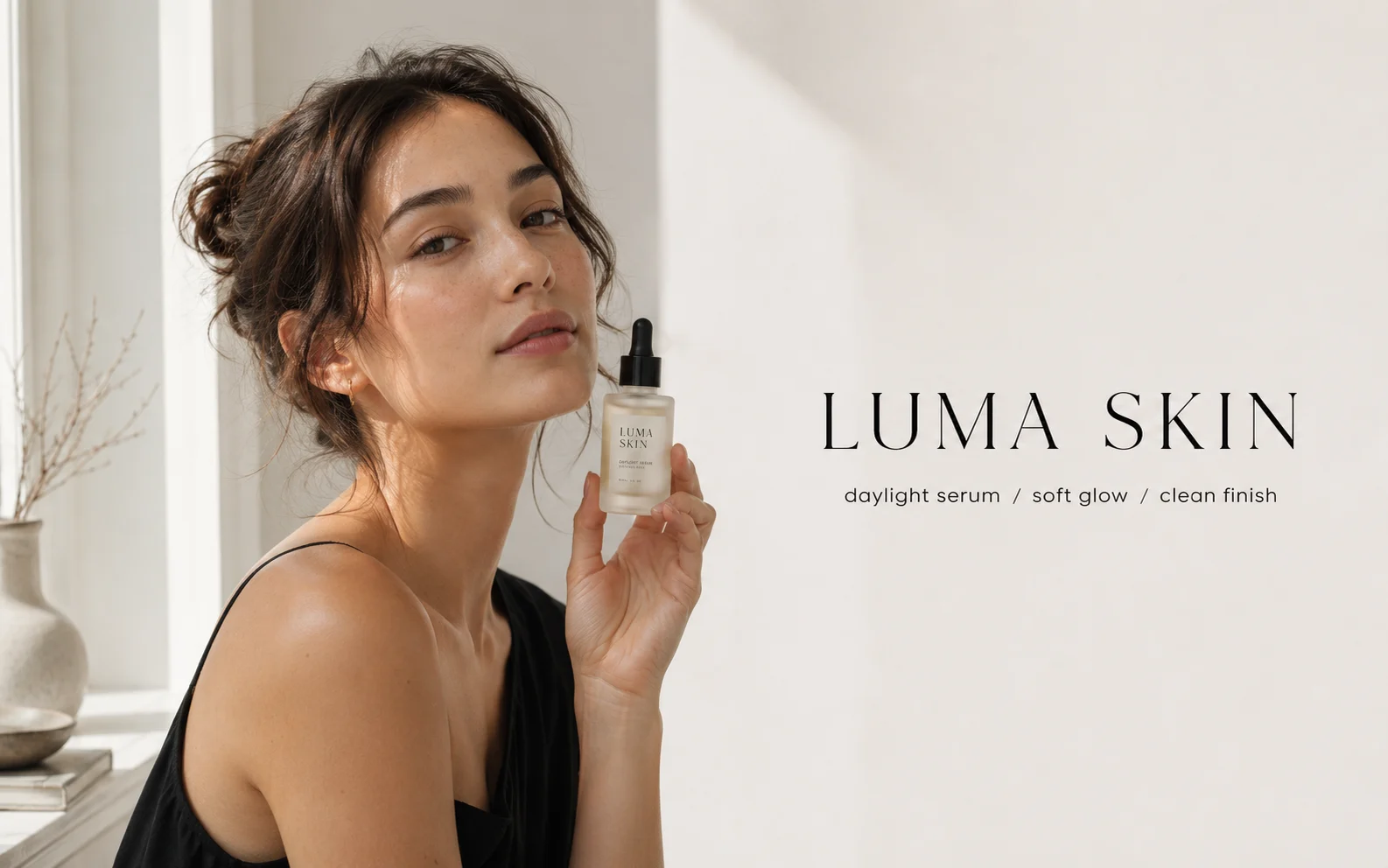
Create a wide editorial skincare ad: a natural-looking model holding a small serum bottle beside a bright window, soft daylight, realistic skin texture, neutral white wall, premium beauty campaign mood, and clean negative space on the right for headline copy.
How to use Nano Banana AI on Ezier
- 01
Start from the editor
Use Nano Banana AI here to create or edit images directly. Open the Google Nano Banana Pro or Nano Banana 2 pages when you want model-specific examples and notes.
- 02
Write the prompt and add references when supported
Describe the subject, scene, edit instruction, style, and what must remain unchanged. Add a reference image when the upload control is available.
- 03
Set the available image options
Use the settings you see, such as aspect ratio or image count. Keep the prompt specific when a control is not available for the model you chose.
- 04
Generate, review, and refine
Check the credit estimate, generate, then review the result. Continue with a sharper prompt or switch to a more specific Nano Banana model when the first result is close but not finished.
What Nano Banana models are especially good at
Nano Banana models are useful when an image needs controlled edits, readable visual details, or stronger subject consistency. Google Nano Banana Pro leans toward polished commercial output; Nano Banana 2 is better for faster drafts.
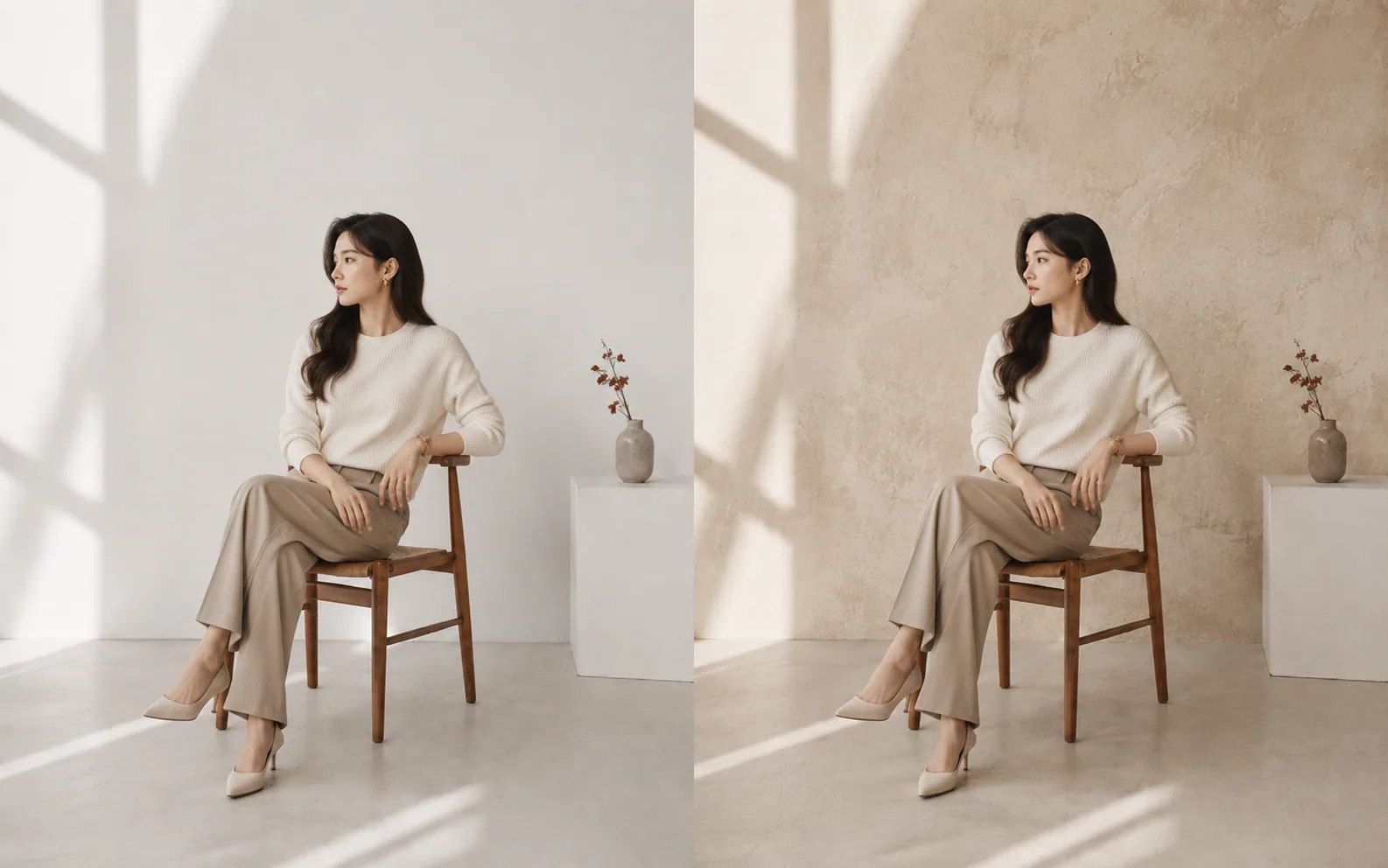
Image editing and local changes
Use Nano Banana models for prompt-based image generation and edits, including selecting, refining, and transforming parts of an image.
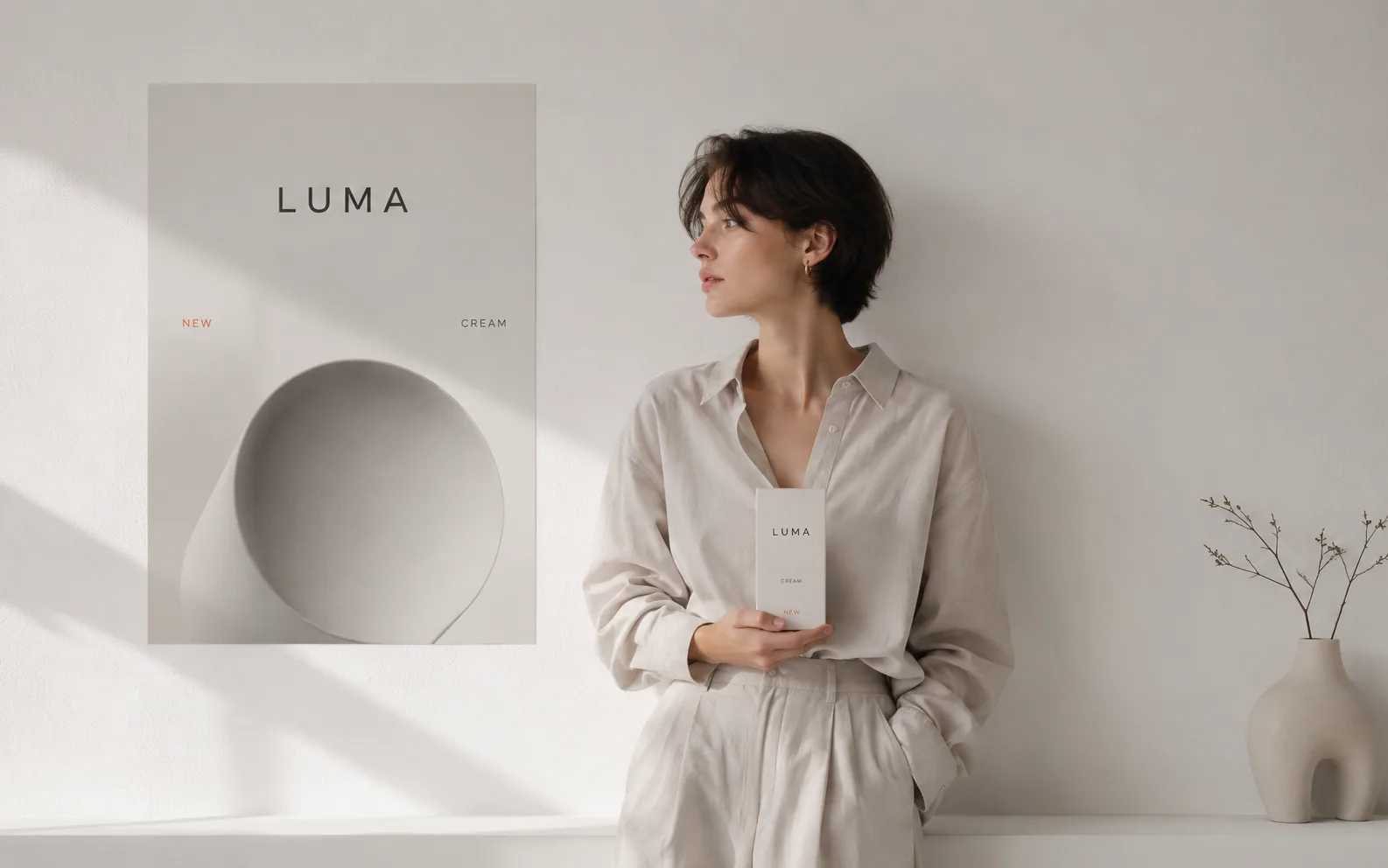
Readable text and localization
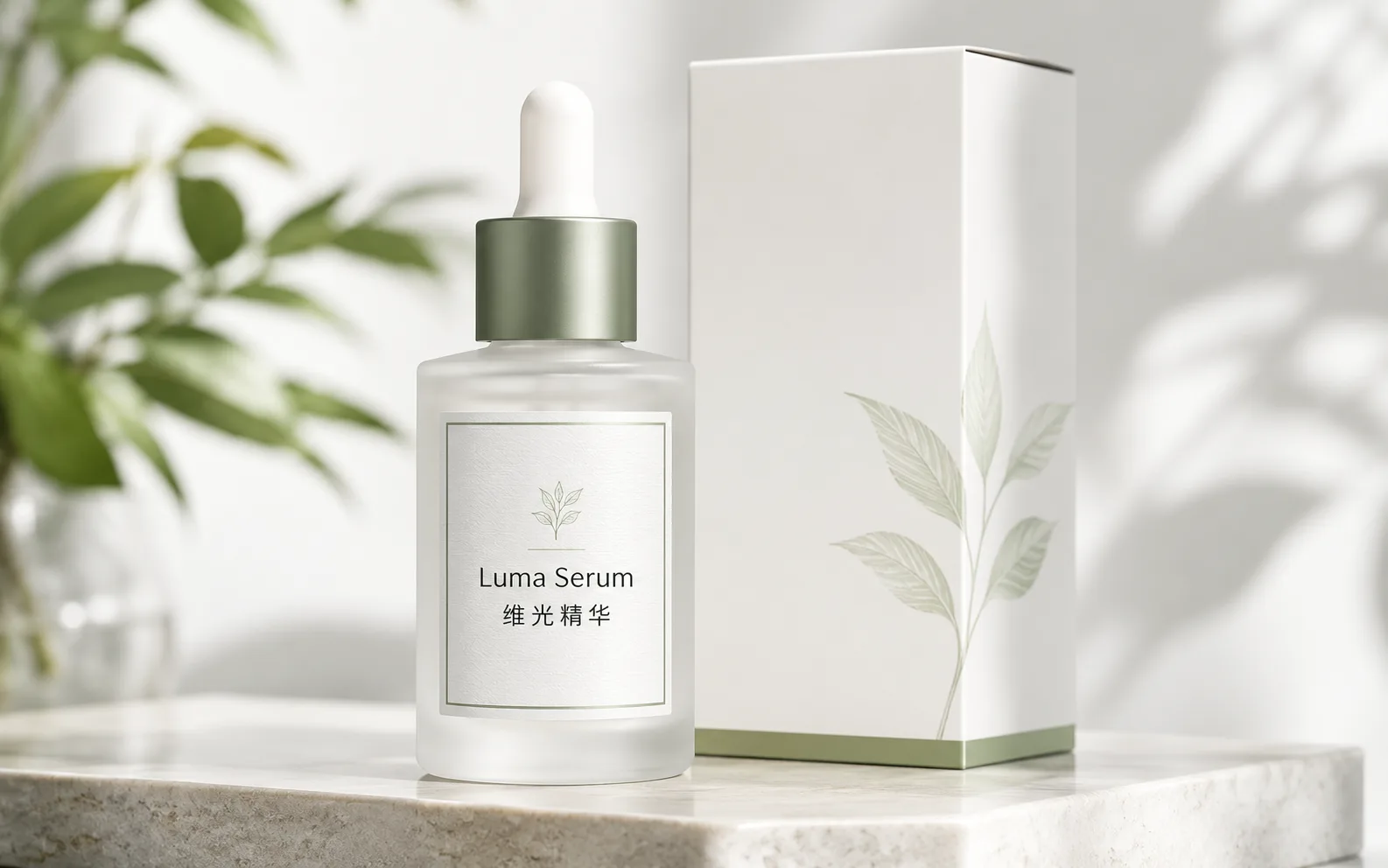
Newer Nano Banana models are described as stronger for legible text, multilingual rendering, translation, mockups, posters, and label-like image tasks.
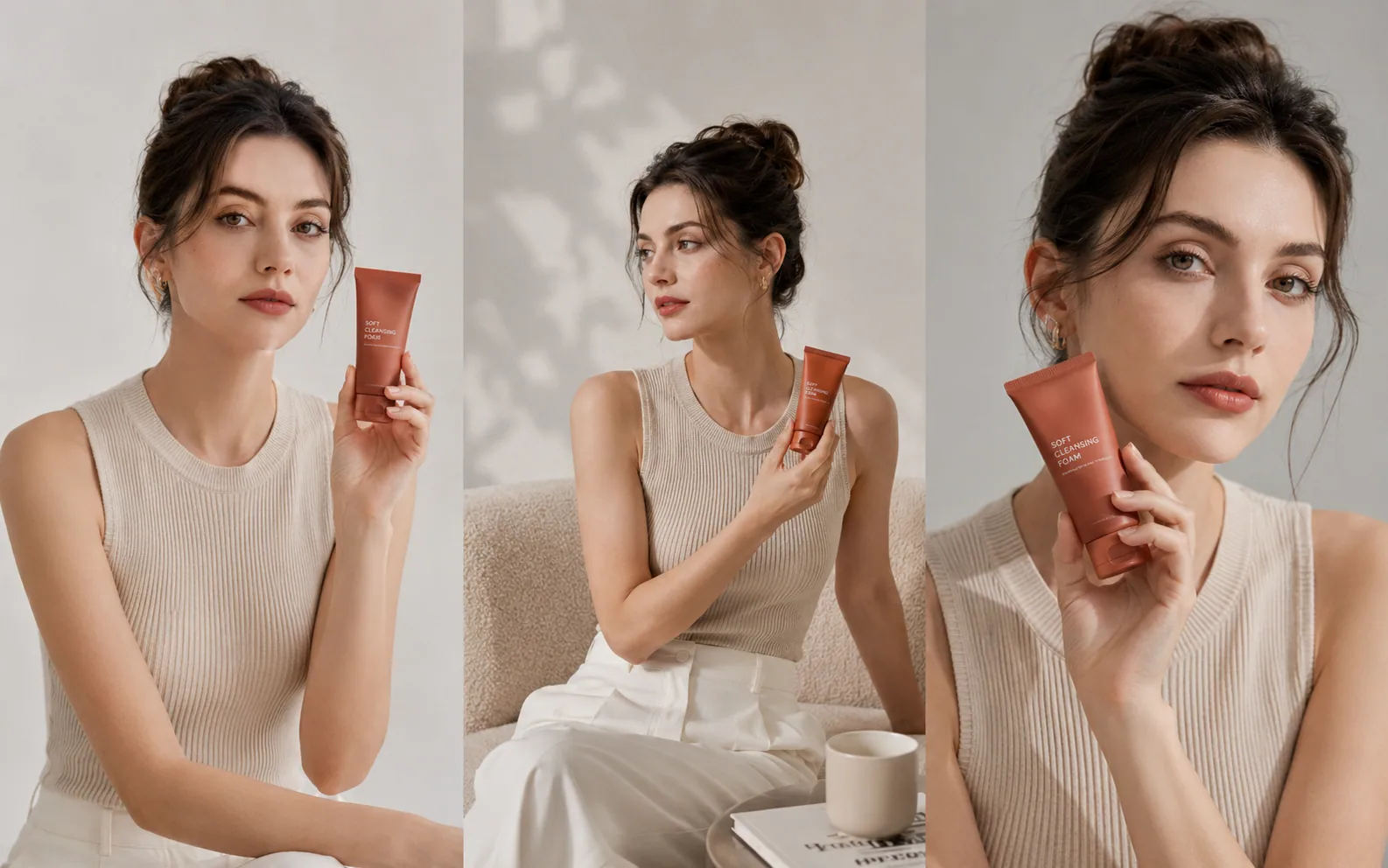
Subject and object consistency
Google describes recent Nano Banana models as useful for keeping people, characters, and objects consistent across more complex compositions.
Get better Nano Banana AI results
For stronger Nano Banana AI results, write the brief like a production note: name the final format, the text that should appear, and the parts of the image that must stay unchanged.
- 512px-4K
- Output rangeUseful for drafts, posters, product cards, and higher-resolution campaign assets.
- Reference details
- Keep key elements stablePlan edits around the face, product, logo, pose, or layout that must stay recognizable.
- Manual review
- Before publishingTreat polished AI images as generated media; review sensitive scenes, logos, and claims before use.
Name the deliverable first
Ask for a poster, product card, infographic, social ad, storyboard frame, or reference edit before describing style. Format-first prompts usually give cleaner layout decisions.
Write text like a design spec
For text-heavy images, include the exact headline, short labels, language, casing, and where the copy should sit. Keep generated text short, then check every label before publishing.
Keep edits bounded
For reference-image edits, describe the exact change and the protected areas. Call out the face, product shape, logo, clothing, room layout, or camera angle that should not drift.
Restart after heavy revisions
Multi-turn image edits can accumulate artifacts or lose instruction focus. Save the best version, then restart with a cleaner prompt when the image starts to feel overworked.
Do not use it as pixel repair
Nano Banana AI can create visually convincing detail, but it is not a strict restoration tool. Use it for creative repair, concept polish, and presentation-ready visuals, not forensic accuracy.
Use it before video
For video projects, use Nano Banana AI to create keyframes, product frames, reference looks, or character sheets before moving into a dedicated video model.
Nano Banana AI in Ezier
Edit and refine Nano Banana AI images in Ezier
Write the image brief, add a reference image when upload is available, check the credit estimate, then review and refine the result in Ezier.
Nano Banana AI FAQ
Practical answers for using Nano Banana models on Ezier.
What is Nano Banana AI?
Nano Banana AI is a common name people use for Google Nano Banana and Gemini image workflows. On Ezier, you can create, edit, and refine images with Google Nano Banana Pro, Nano Banana 2, or Nano Banana.
Can I use Nano Banana AI online in Ezier?
Yes. Enter a prompt, use the available settings, check the credit estimate, and generate with Nano Banana AI in Ezier.
Can I upload a reference image for Nano Banana AI?
Yes, when the upload control is available. Add a reference image when you need to preserve a face, product, pose, logo, room, or composition, then describe the exact edit.
Which Nano Banana model should I choose?
Use Google Nano Banana Pro when you need more polished commercial results, Nano Banana 2 when you want faster drafts, and Nano Banana when you want a lighter image generation pass.
Which Nano Banana settings can I adjust?
Use the settings shown in the panel, such as aspect ratio or image count. Available options can change by model, so write the prompt clearly when a specific control is not available.
How much does Nano Banana AI cost on Ezier?
Check the number shown on the generate button before submitting. The estimate can change with the model and settings you choose.
Is Ezier an official Google Nano Banana product?
No. Ezier is a multi-model creation workspace. It can provide access to Nano Banana-related image models when they are available in the catalog, but official Google availability, naming, plans, and quotas should be checked in Google products.
More to try
Compare what works with Nano Banana AI
Check related image models, refine the output with tools, or turn the idea into video.

AI models
Compare models
Choose a better fit before you generate.
AI image tools
Create or edit images
Make, clean up, or upscale stills.
AI video tools
Turn images into motion
Animate a still or create a clip.
Nano Banana 2
Balanced image creation
Use for higher-resolution images, multiple references, and longer edit chains.
Nano Banana Pro
More control
Use for detailed prompts and readable text.
GPT Image 2
Polished visuals
Use for ads, product shots, and clean edits.
Qwen Image
Readable text
Use for labels, posters, and diagrams.
GPT Image
Quick OpenAI drafts
Use for quick concepts and simple edits.
Wan Image
Video-ready frames
Use when the image may move next.
AI models
Compare models
Choose a better fit before you generate.
AI image tools
Create or edit images
Make, clean up, or upscale stills.
AI video tools
Turn images into motion
Animate a still or create a clip.
Nano Banana 2
Balanced image creation
Use for higher-resolution images, multiple references, and longer edit chains.