
Slowed + Reverb
Slow your audio while preserving the original pitch. Keep reverb off for a clear voice, or add an optional echo, then download MP3 or WAV.
No credits are used. Sign in to process your file.
Real processing example
Original audio
0.7x - original pitch - reverb off
Two English speakers order coffee. Words and pauses are longer, with the original pitch preserved and no added echo.
Three English conversations performed with synthetic voices. Compare 0.7x, 0.8x and 0.9x timing with the original pitch preserved and reverb off.
A slower pace, with the sound you choose
Give spoken words or musical phrases more time without lowering their pitch. Reverb is off by default, so the first result focuses on slower timing and keeps the voice familiar. The tool processes your recording directly; it does not synthesize a replacement voice.
Choose 0.7x, 0.75x, 0.8x or 0.9x speed in advanced options and export MP3 or WAV. If you want an echo-style effect, select low, medium or high reverb. Reverb changes the sound and is optional. Compare your source and result at a comfortable volume before downloading.
Choose the sound that suits your recording
Hear every word at a slower pace
Compare the original English conversation with slower speech. Leave reverb off to keep words clear and retain the original pitch. This changes timing; it does not translate or transcribe.
Review a familiar voice or musical phrase
Start at 0.9x for a gentle change, or try a slower setting when you need more time. The speaker stays at the original pitch, and optional echo can be added separately.
Prepare an edit for another project
Use MP3 for convenient listening or WAV for a compatible editing workflow. A WAV export is larger and does not recover detail that was already lost in a compressed source.
How to use Slowed + Reverb
- 01
Upload one audio file
Choose a readable MP3 or WAV that you own or have permission to use. Short excerpts make it easier to compare the same speaker or phrase.
- 02
Choose a slower speed
Keep reverb off to change speed alone. Advanced options let you choose the speed and MP3 or WAV; the original pitch is always preserved.
- 03
Compare the source and download your edit
Listen to the same phrase in both versions. Choose WAV when avoiding another lossy encode matters, or MP3 for convenient sharing.
Cafe conversation - original
0.7x - original pitch - reverb off
Change timing while keeping the original pitch
Time stretching makes words and pauses longer without the deeper voice produced by changing playback sample rate. Reverb is off by default. Start with a gentle speed reduction for the closest listening match, and compare the result with your original recording.
Weekend plans - original
0.8x - original pitch - reverb off
Add echo only when you want it
Leave reverb off when you only want a slower voice. Low adds a restrained tail; medium and high make repeats more noticeable. These effects change the listening character and can blur dense speech, so compare them with the dry result before choosing.
Studio conversation - original
0.9x - original pitch - reverb off
Check the whole phrase, including the ending
Slowing makes the recording longer. Optional echo adds a short tail after the final sound; with reverb off, no echo tail is added. Listen through the end and inspect quiet passages and sharp consonants before downloading.
A practical guide to slowed audio
Start from a clean source
Noise, clipping and heavy compression already in the original can become more noticeable after processing. Keep your source, compare at a comfortable volume and avoid treating the effect as a repair tool for a damaged recording.
Use a format that fits the next step
MP3 is convenient for sharing and listening. WAV is useful for compatible editing tools, but can be much larger. The result must stay within the supported file-size limit. Only process recordings you own or are authorized to edit.
Make the next version yours
Slow your audio while preserving the original pitch. Keep reverb off for a clear voice, or add an optional echo, then download MP3 or WAV.
Slowed + Reverb FAQ
What is a slowed and reverb effect?
It combines slower timing with an echo-style tail. The result can feel more spacious, but the best settings depend on the source and the mood you want.
Will slowing the audio make the voice deeper?
The tool always preserves the original pitch while stretching time. Reverb is off by default, and there is no lower-pitch mode. Larger timing changes can still introduce processing artifacts, so preview the result and try a gentler speed when needed.
Which speed should I choose?
Try 0.9x for a subtle change, 0.8x for a noticeable slower pace or 0.75x for a longer stretch. Compare the same musical phrase before choosing.
Which reverb preset is best?
For a voice that stays closest to the source, leave reverb off. Choose low, medium or high only when you want audible echo. Stronger echo can reduce speech clarity.
Can I download a WAV?
Yes. Choose WAV in advanced settings before processing. WAV can be much larger than MP3 and does not restore information missing from the source.
Is this a simulation of a real room?
No. It is an echo-style effect rather than convolution reverb or a measured room simulation. Listen to the result instead of expecting a specific venue sound.
Which files are supported?
Use one readable MP3 or WAV up to 50 MB and 30 minutes. The processed output must also remain within the supported size limit.
Does the file stay on my device?
The audio is uploaded for server processing. Sign in to process it for free. You can listen to the result without submitting another task.
Continue creating
Move from audio into image or video
Create cover art and still assets, then move into animation, lip sync, editing, or a finished video when your project needs visuals.

AI Image Tools
Image tools hub
Create, edit, enhance, and clean up still visuals.

AI Video Tools
Video tools hub
Generate, animate, edit, and improve clips.

AI Image Generator
Start from a prompt
Use the selected image model to create a first draft.
AI Image Editor
Refine an image
Change one part of an image without starting over.

Image Upscaler
Prepare for export
Increase image resolution after the concept works.

AI Video Generator
Create motion
Turn an idea or still image into a video draft.

Image to Video
Animate a still
Use a finished image as the source for motion.
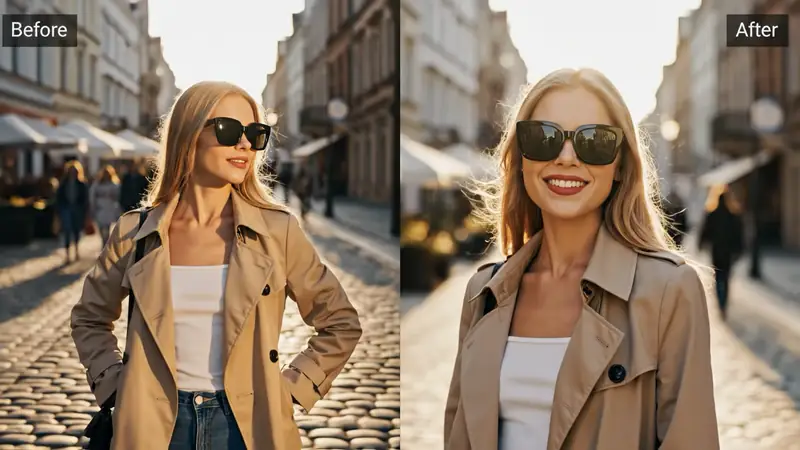
AI Video Editor
Revise a clip
Edit an existing video with prompt-led changes.