
Image Watermark Maker
Add a text or logo watermark to images. Drag, rotate or tile the mark, then download PNGs or a batch ZIP.
Examples


Add a watermark to photos before sharing
Place a logo or text watermark on a product photo, portfolio image or client proof. The tool processes images for free in your browser and saves PNGs at their original display dimensions. Apply the same design to up to 20 images in a batch.
Place a logo on a product photo
Choose a PNG logo with a transparent background, drag it into the space around your product, and reduce its opacity until it sits comfortably with the photo. Check both light and dark images in a batch before exporting.
Keep text readable on busy photos
Pick a custom text color in Advanced options, then add a contrasting outline or translucent background. Preview the mark on both light and dark areas before exporting.
Tile a watermark across client proofs
Use Tile across image when a single corner mark is too easy to crop out of a preview. Rotate the pattern, adjust the space between marks and lower the opacity so the client can still judge the photograph.
Keep placement consistent across different sizes
Drag the watermark into position on one image, then preview the same settings on a landscape or portrait photo. The tool applies a relative position and size to each file and keeps the original photos intact.
How to use Image Watermark Maker
- 1
Choose images
Select up to 20 static PNG, JPEG or WebP files from your device.
- 2
Set a watermark
Add a logo or style a line of text in Advanced options. Open Preview watermark placement to drag a single mark into place or check the angle and spacing of a tiled design.
- 3
Apply the watermark
Click Add watermark. In a batch, select an image in Your results to inspect its finished watermark.
- 4
Download your files
Save each successful PNG individually, or download a ZIP when two or more images succeed.
Image Watermark Maker examples
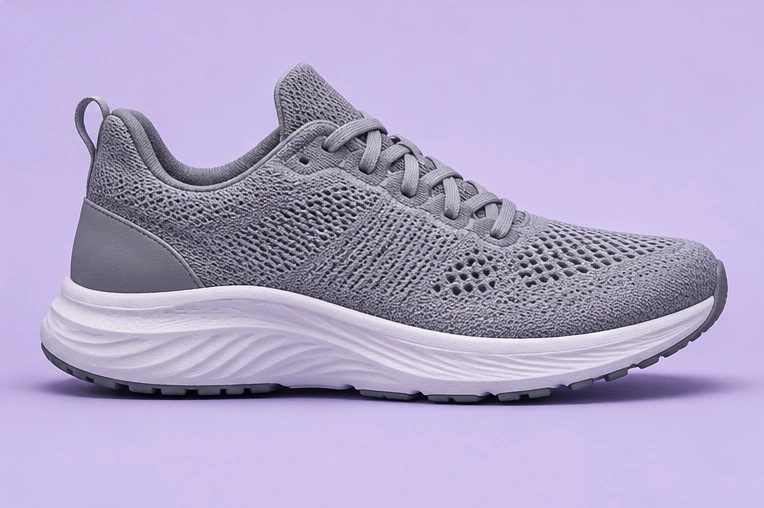

Tile a watermark on a footwear proof
A low-opacity diagonal pattern marks the full proof while keeping the knit pattern, sole and stitching visible.


Label a woven accessory preview
Place the mark beyond the bag and handles so a catalogue reviewer can inspect the woven details.
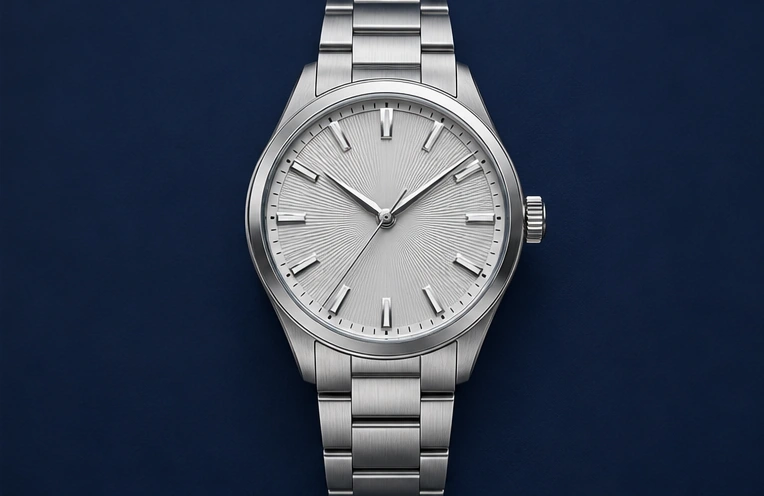
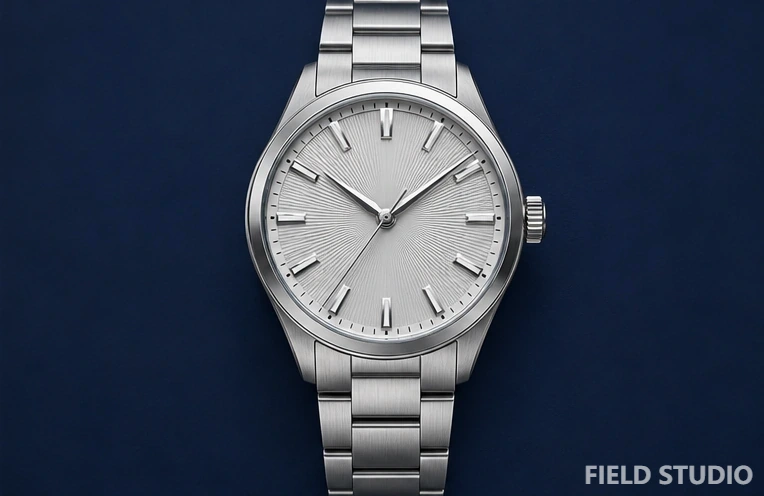
Identify a watch catalog photo
Place the watermark over the dark background to keep the dial, hands and bracelet legible.
Tips for your export
Keep product details visible
Place a small mark away from labels, textures and other details buyers need to see.
Use a transparent logo
A PNG logo with transparent space around the artwork blends into more backgrounds.
Use one design across a batch
Relative placement, size and tile spacing adapt to each image so a landscape and a portrait photo can share the same settings.
Check the final file size
PNG preserves transparency and may be larger than your original JPEG.
Try Image Watermark Maker
Add a text or logo watermark to images. Drag, rotate or tile the mark, then download PNGs or a batch ZIP.
Image Watermark Maker FAQ
Which images can I use?
Use static JPEG, PNG or WebP files up to 10 MiB and 32 megapixels each.
Can I watermark several images together?
Yes. You can select up to 20 images within a combined 100 MiB and apply one watermark design.
Are my images uploaded?
Image watermarking and ZIP creation run in your browser on your device. Sign in to use the workbench.
Does it keep the image dimensions?
The PNG uses the original display dimensions and preserves transparency outside the watermark.
Can I use both a logo and text?
Choose one logo or one line of text for each batch.
What text can I use in a watermark?
Enter one line of up to 80 characters using Latin letters, numbers and common punctuation. Advanced options includes custom color, an outline and a translucent background.
Can I download files if one image fails?
Yes. Download any successful image as a PNG. Use ZIP when two or more images succeed.
How do I add a repeated diagonal watermark?
Choose Tile across image, set an angle such as −30°, and adjust the spacing and opacity. Check the preview before adding the watermark.
Can I move or rotate a watermark?
In single mode, drag the mark or focus the preview and use the arrow keys. The rotation slider works in both single and tile modes.
Keep creating
Keep working from here
Continue with image edits, compare model quality, or send the result into a video workflow.

Image Watermark Remover
Related tool
Open Image Watermark Remover.
Video Watermark Maker
Related tool
Place, rotate, or tile a text or logo watermark. Preview it on your video and export MP4s or a batch ZIP.
Image Compressor
Related tool
Open Image Compressor.
Product Recolor
Related tool
Open Product Recolor.